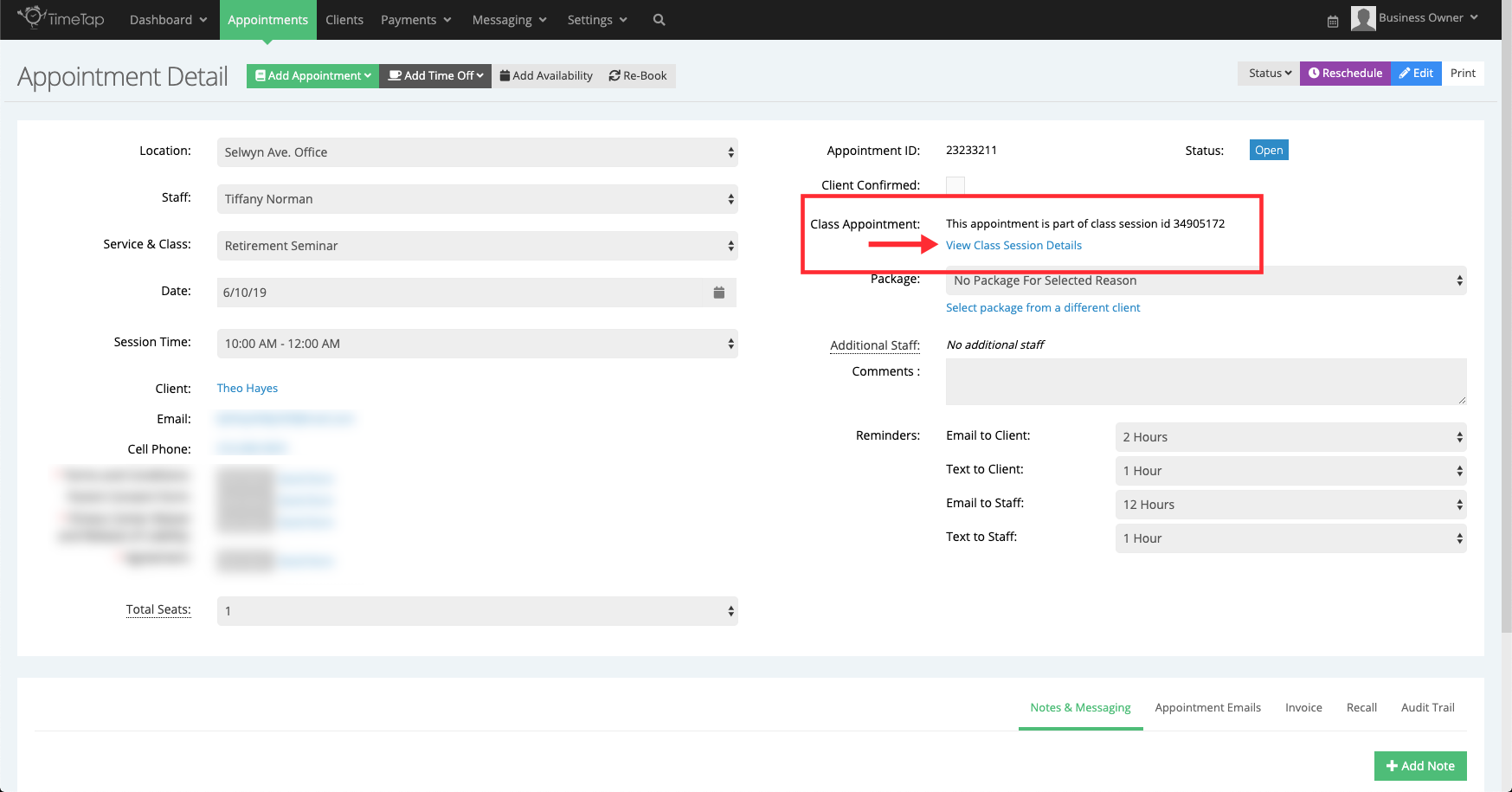
When a client registers for a class session, their contact info shows up on the Attendees list on that Class Session Detail page. While their attendance is recorded on that overall Class Session Detail page, each attendee also has their own Appointment Detail page where you can reference the information regarding that specific client's appointment.
From the Appointments List
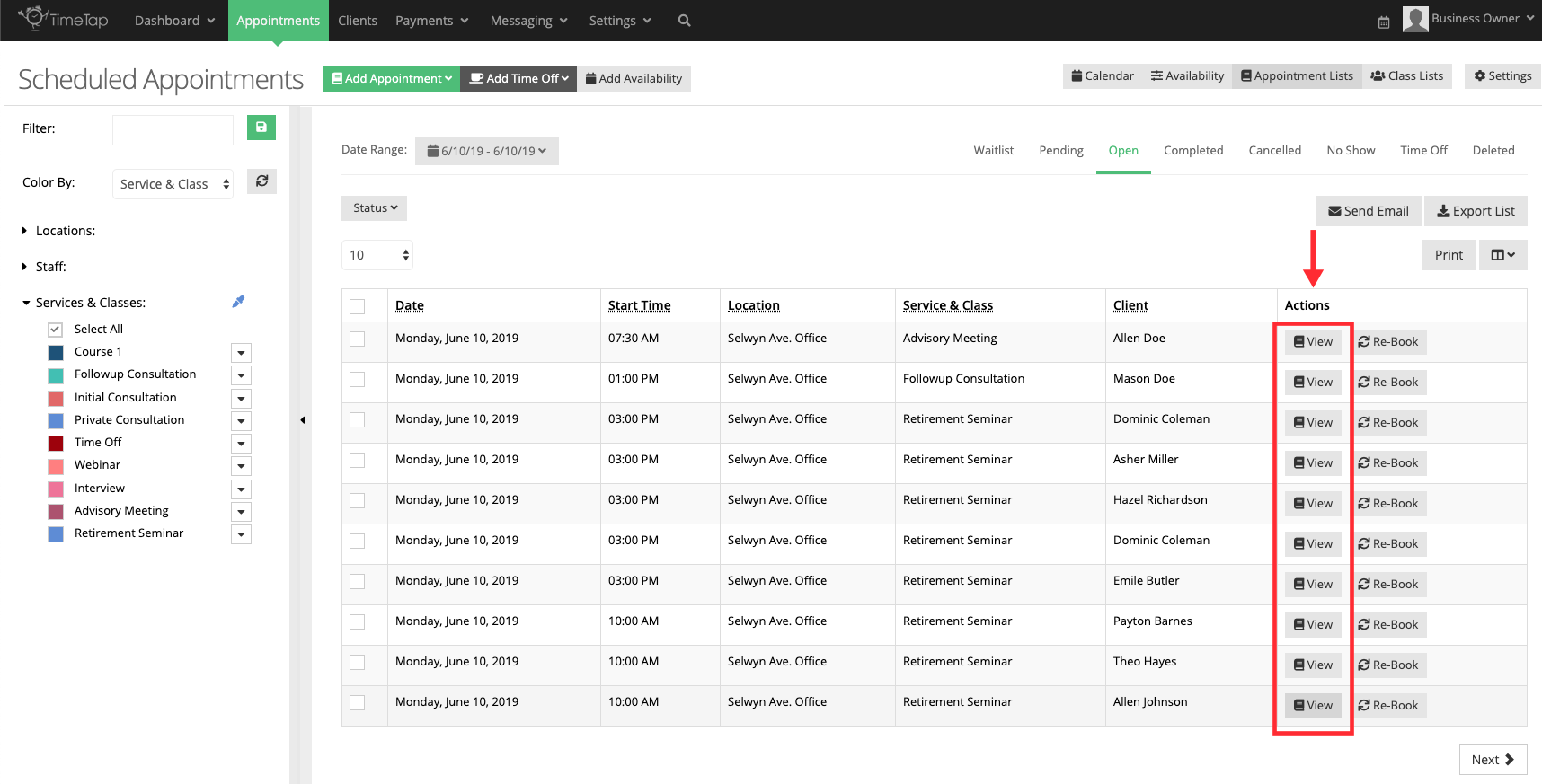
Both your 1-on-1 Service appointments, as well as Class appointment registered across your sessions, will be listed in the Appointment List view (Appointments > Appointment Lists) view.
You can select the View button the access the Appointment Detail page for either type of appointment:
From the Class Session Details Page
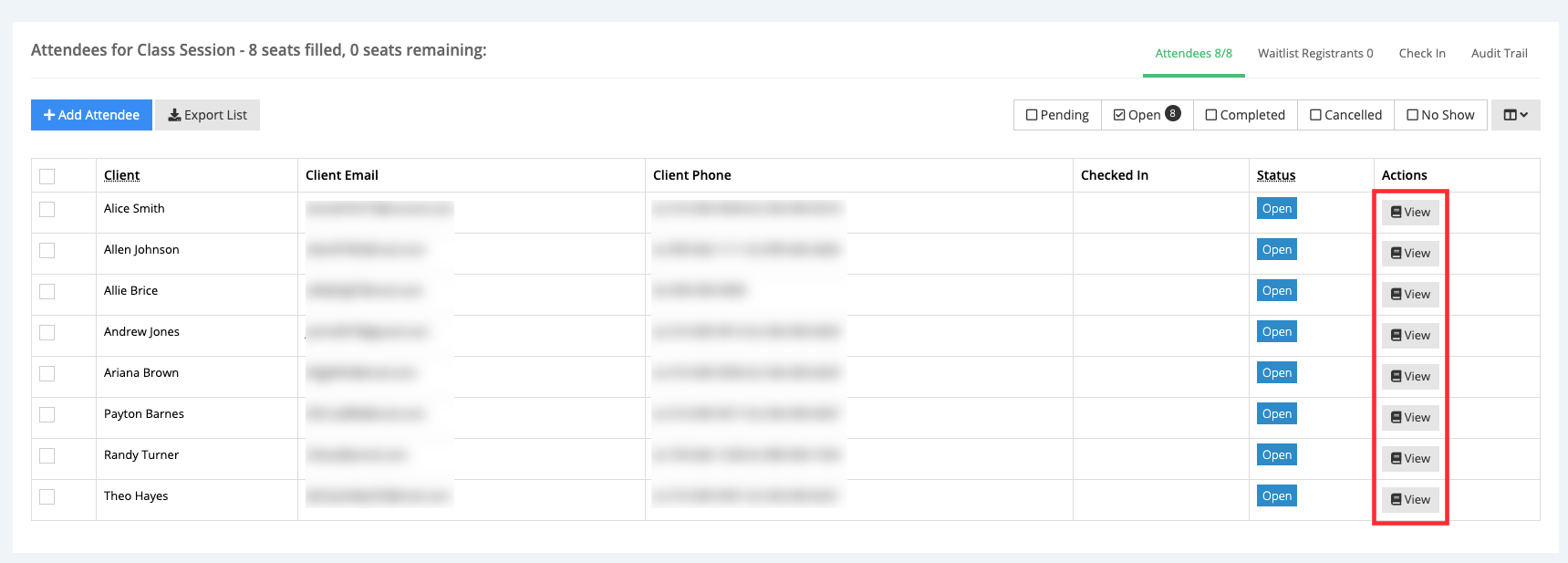
You can also get to the Appointment Detail page for a class attendee from the Class Session Details page using the View button beside each entry in the Attendees List:
The appointment detail page for a class-based appointments is very similar to service-based appointment. The only difference you'll notice is that there is a field called "Class Appointment" with a link to get back to the Class Session Details page for the session that the appointment is booked into: