A class session can exist in one of three statuses:
-
Open - the class session is still available for clients to enroll in. If it isn't a private class, then clients should still be able to see and book it on your scheduler.
-
Closed - the class session is no longer open for enrollment. While staff members can still add an attendee for the session from TimeTap's Backoffice, it is no longer available for clients to book using your scheduler. A class is closed automatically based on a business's Latest Class setting but can be re-opened manually from the Backoffice.
- Cancelled - class sessions can only be moved to a cancelled status by staff members through the Backoffice. A class session would be cancelled if it's no longer being held and you want to send out a cancellation notice to all registered clients. Class sessions can also get moved to Cancelled status in bulk if you cancel or make certain changes a repeating class schedule.
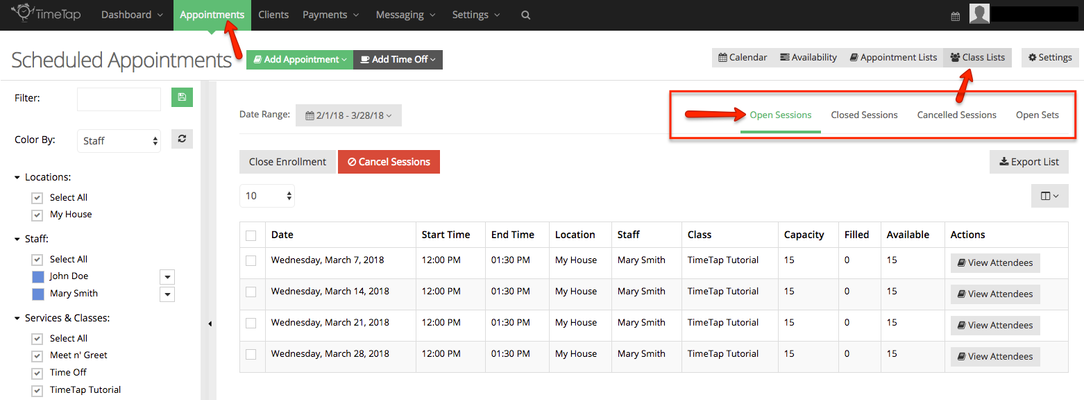
Class session are grouped based on status in the Appointments → Class Lists view:
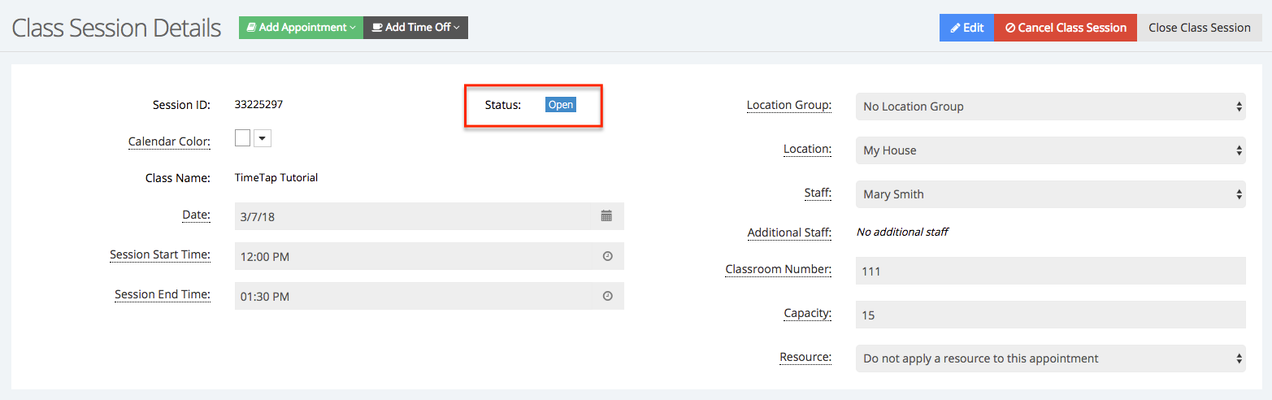
The status for a class session is also listed in the Class Session Details page:
A Class Session's status can be changed in the following way:
- Open class sessions can be:
- Cancelled
- Closed
- Closed class session can be:
- Re-opened
- Cancelled class sessions can be:
- Re-opened