When a client books an appointment for one of your classes, they are put on the attendees list for that class session that they scheduled for. You can think of your attendees list as a class roster where you can take attendance for who came to the session and quickly navigate to each of their appointments.
You'll find your attendees list at the bottom of your Class Session Details screen:
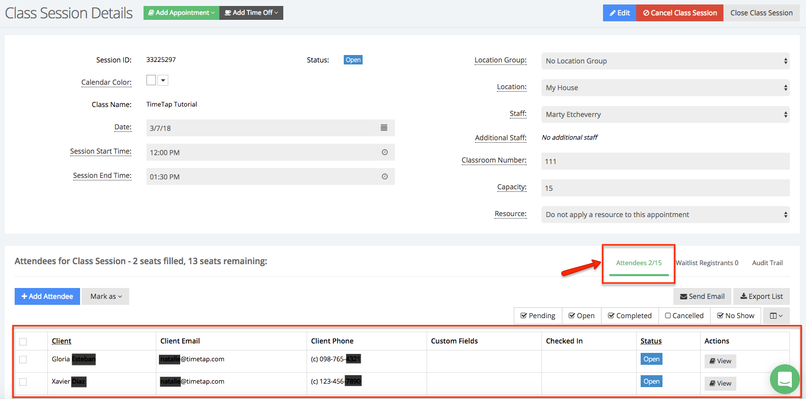
You'll notice you'll also get a brief summary of how close to capacity the session is (in the example above, the capacity for the session is 15 clients; the summary tells me that 4 of those 15 seats are already filled and 11 of them are still available).
With your attendees list, you're able to:
- Add new attendees for the class session
- Mark attendees as checked in, completed, no show, or cancelled
- Export the attendees list into an Excel spreadsheet
- Click to view the individual appointments for each of the attendees
You can also:
- Add a waitlist registrant to a class session waitlist using the Quick Add window in the Calendar View