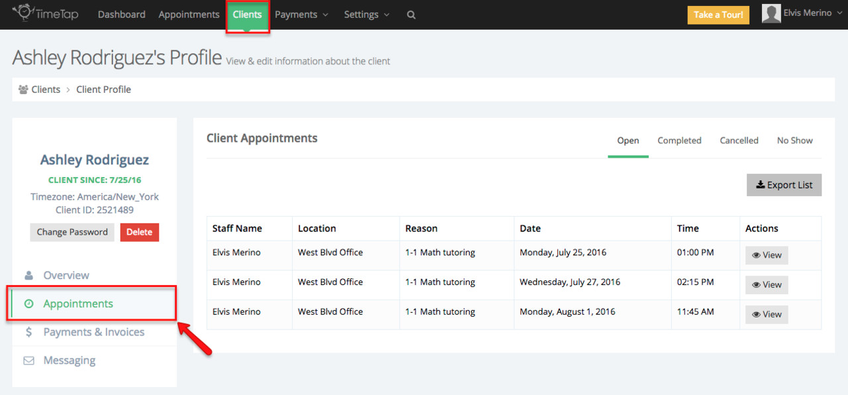
You can also find appointments for a specific client by navigating to their client profile and viewing their Appointments tab:
To add an appointment as a staff person, navigate to Appointments and select the Add Appointment dropdown to choose between adding either a One Time Appointment or a Repeating Appointment series:
Alternatively if you have enabled the Quick Add function (Appointments > Configurations), you can click on any available time slot in the calendar, this will bring up the option to add an appointment, add a class session or add a time off:
If you have turned off the Appointment Quick Add function, you can still double click on a date and time on the calendar and the Add New Appointment screen will open up.
Viewing the details of each appointment
The Appointment Detail page in TimeTap is where you can view and manage all the information related to a specific appointment. Every appointment in TimeTap has an Appointment Detail page.
Accessible from the Calendar view or Appointment Lists, this page allows you to reference key details such as the service or class booked, client information, appointment status, and any notes associated with the appointment.
From this page, you can also see the emails sent about the appointment, view the audit trail of changes, print appointment slips, create invoices, and make edits or reschedule the appointment as needed. The Appointment Detail page is your central hub for managing each individual appointment in TimeTap.
You can read more about the Appointment Detail page here.
Related "Appointments" Docs:
- Add new appointments
- Categorize & manage your appointments
- Find existing appointments
- Edit or reschedule bookings
- Use email notifications
- Manage recurring appointments
- Add time off to your calendar