By default, the reminder email to staff goes out 24 hours before the start time of the appointment (although you can always adjust that under Messaging > Messaging Settings).
This help doc covers:
- Appointment Reminder Email - Default Template
- Setting the Default Timing of the Staff Appointment Reminder Email for the Account
- Adjusting the Timing of the Staff Appointment Reminder Email for Specific Appointments
Appointment Reminder Email - Default Template
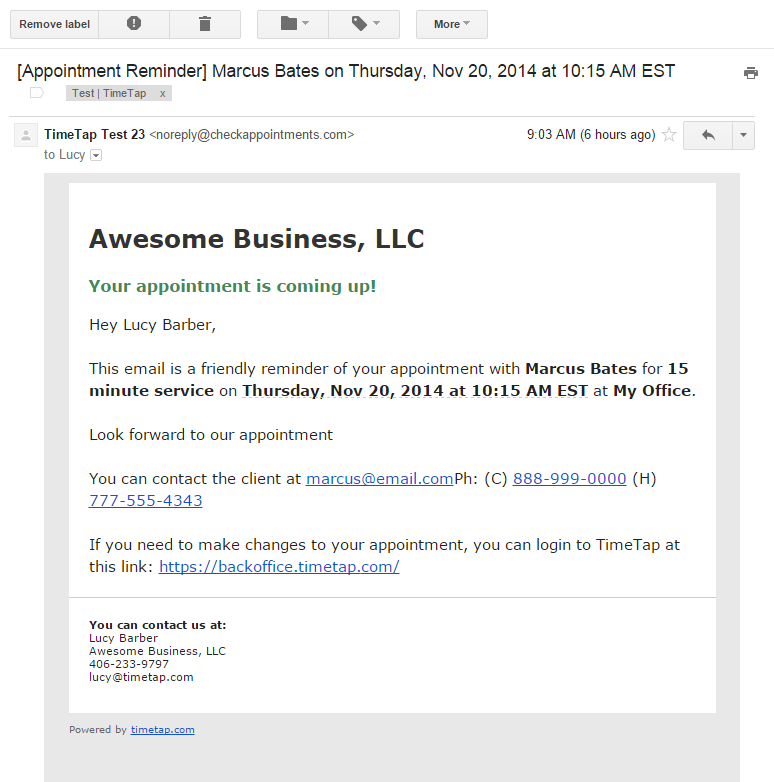
The reminder email summarizes the appointment and provides contact details for the client.
The default template is reprinted below:
Email Sample - Appointment Reminder
Setting the Default Timing of the Staff Appointment Reminder Email for the Account
The default timing of the Appointment Reminder emails for the overall account can be found and edited under Messaging > Messaging Settings.
Adjusting these settings will only update the default reminder timing that gets applied to all future appointments that are scheduled. Updating these settings will not adjust the reminder timing of any existing appointments.
Adjusting the Timing of the Staff Appointment Reminder Email for Specific Appointments
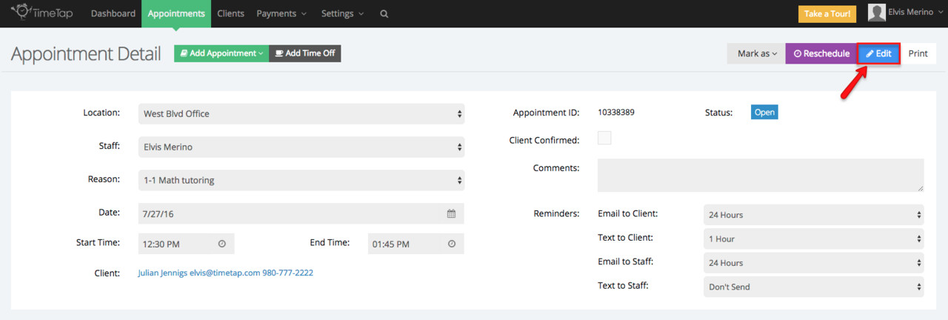
If you want to change the time when a staff assigned to a specific appointment is sent their reminder email, navigate to that specific appointment's detail screen and click the Edit button:
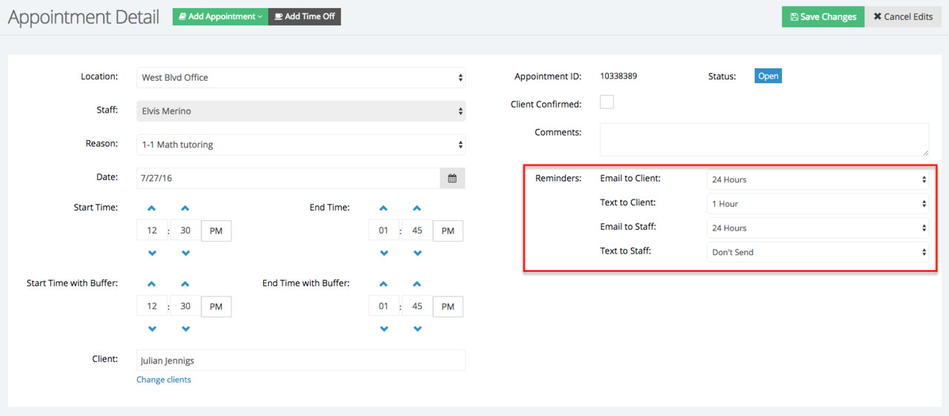
And then take a look at the "Reminders" section:
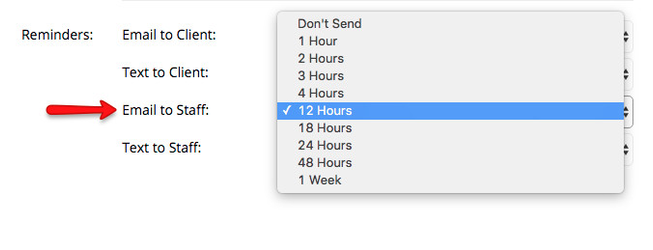
Next to the Email to Staff line, switch the default 24 hours to whatever other time increment you want:
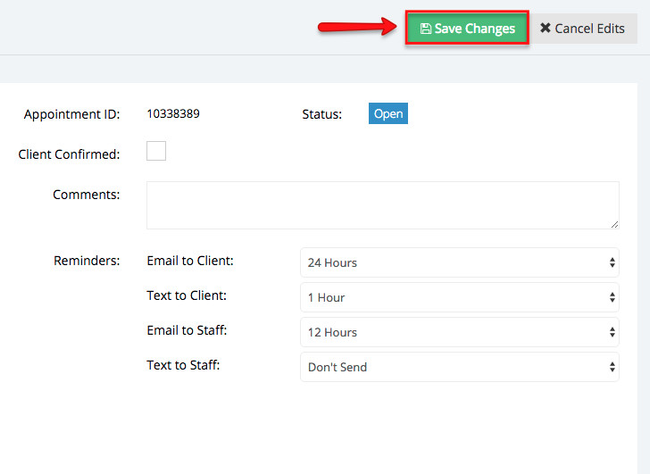
After you have made the change, press the green "Save Changes" to commit to the update to the hours before the appointment start time that the reminder email is set to go out:
You can choose whether you want to send out another email about this (an appointment edited/rescheduled email template would be delivered to either client and/or staff) or if you'd rather, you can just save without sending any email out to either staff or client.