Each appointment in TimeTap has an audit trail that logs any changes or updates made to the appointment. Each entry on the Audit Trail will give you a brief summary of the changes made, the date & time the changes were applied, and who made the changes (which will either be listed as the client or the staff person's username).
The types of changes that may be recorded on the Audit Trail include:
- The date & time that an appointment was created
- When you change the appointment status
- If you reschedule the appointment
- When you edit the appointment and change its date, time, or service
- If you change the client for the appointment
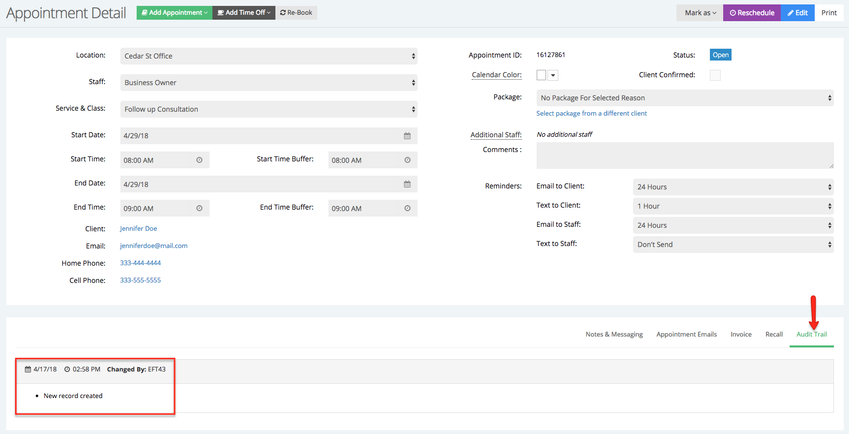
The audit trail displays in the Audit Trail tab at the bottom of the Appointment Detail page.
When a new appointment is first created, the first item in the Audit Trail is the record of the appointment creation:
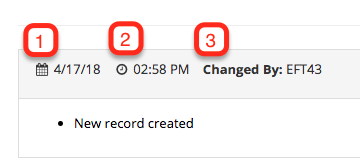
The header of Audit Trail entries include: the date the change was made (1), the time the change was made (2), and who made the change (3):
Additional notes in the main area of the entry describe what changes were made. If you make a change that affects multiple areas of the appointment (say you change the start and end times for the service), an audit trail entry summarizing the changes will be made:
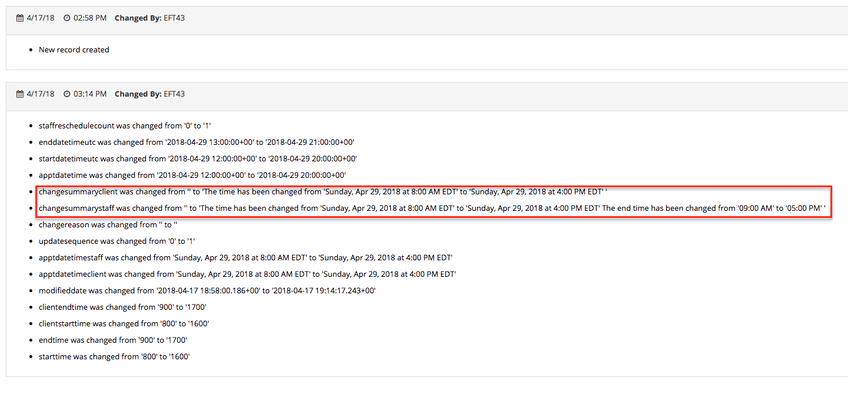
You can use the audit trail to go back and see when a change was made to an appointment record. It can help you to troubleshoot if a client calls in and asks about certain updates made to his/her appointment.