Your Mini Website sits on a custom web page that only your account has access to edit. You can direct clients to your mini website to make appointments with you using the scheduler that's hosted there.
You can find your mini website URL in 2 different ways:
Finding the mini website link from the mini website design page
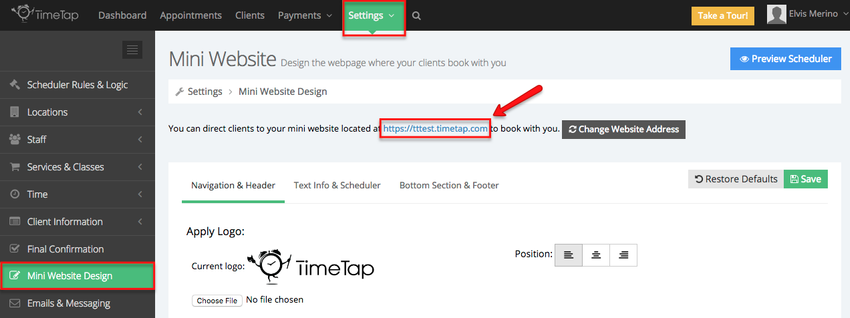
To navigate to your mini website from your mini website design pages, simply go to Settings → Mini Website Design and click on the link at the top of the page:
Finding the mini website using the "Preview Scheduler" button
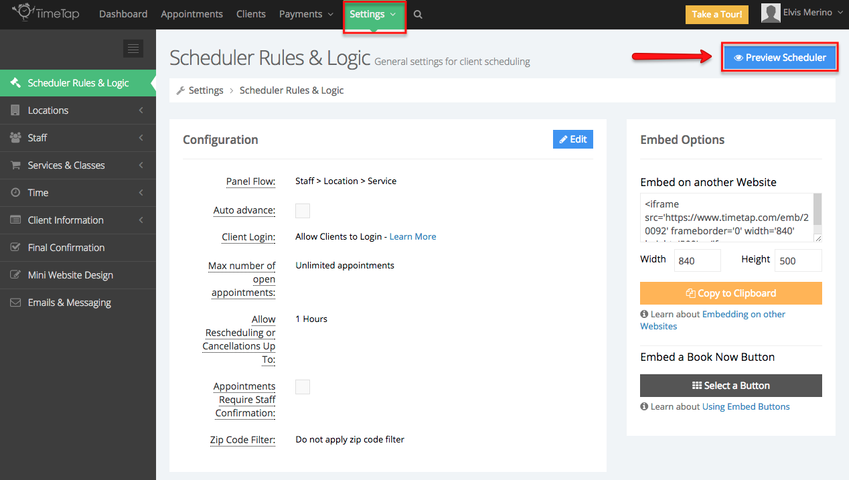
To navigate to your mini website from the "Preview Scheduler" button, just be on the lookout for it on any of the Settings pages you're visiting: